The Personal Monorepo: A Context Vault for AI Agents
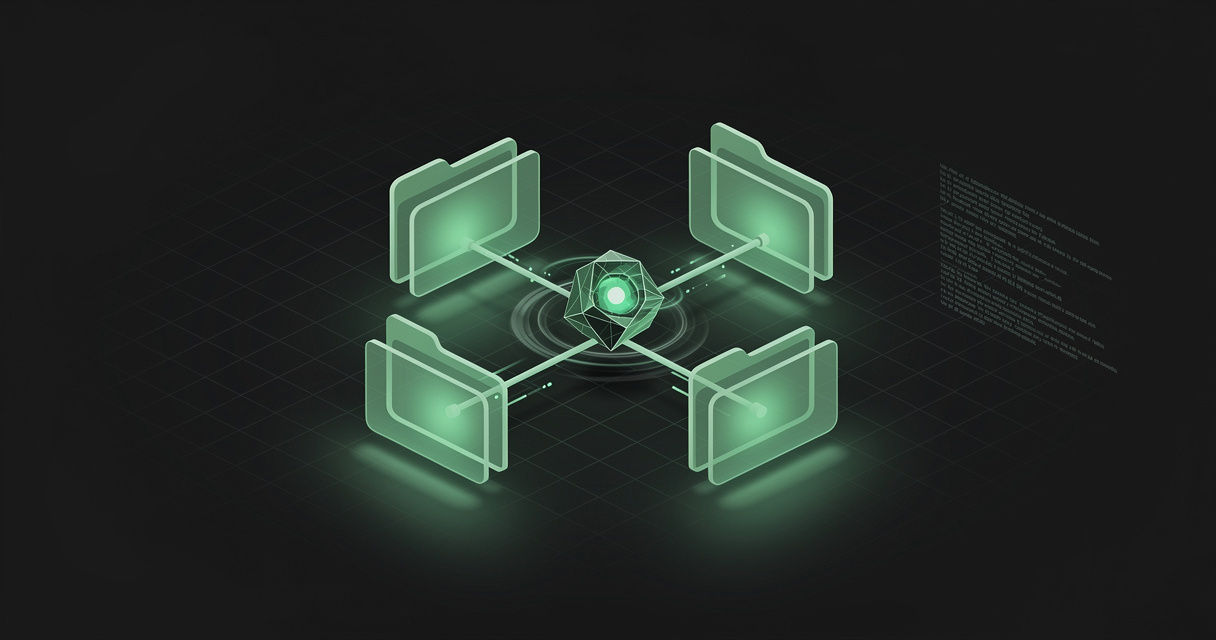
The most interesting thing about the way people use coding agents in 2026 is that a lot of it is not coding. It is partnerships, operations, meeting notes, triage, and inbox archaeology — done in a coding agent, because the coding agent is the tool that knows how to read and write files.
Which raises the obvious question: which files? Jason Liu, who works on Codex at OpenAI, gave a workshop at AI Engineer in July 2026 called Setting Yourself Up for Success, and his answer is a single directory he calls a personal monorepo. It is where the agent lives. It is not where the code lives.
TL;DR — A personal monorepo is one version-controlled folder of plain markdown that an AI agent treats as home:
projects/,people/,notes/, aTODO.md, and anAGENTS.mdthat says how to behave there. Code stays in ordinary repositories somewhere else. The vault is what makes long-running agent threads useful, because files survive compaction, thread deletion, and model upgrades — and because a diff lets you review what the agent decided to remember. The pattern is sound; the local-git version of it is bound to one laptop, one vendor, and one person. MDflow is the same structure as a hosted markdown workspace any agent can reach.
What is a personal monorepo?
A personal monorepo is a single directory of plain markdown, tracked in version control, that an AI agent uses as its persistent home across every thread and every task. Liu describes it as "where the agent lives, separate from any one project" — repositories hold code, the vault holds the rolling context around your work.
He set it out first in Codex-maxxing in May 2026, then walked an audience through it live in July, and published a starter template at jxnl/personal-monorepo-template. The template's README carries one blunt rule that tells you how literally to take the idea: this repo is the vault — don't create a second vault/ directory inside it.
Nothing about it is technically clever. That is the point. It is a folder, some markdown, and a habit.
What goes in the vault
The published template and the version Liu runs personally differ slightly, but the shape is consistent:
AGENTS.md          # how the agent behaves in this vault
TODO.md            # a running list the agent maintains
projects/          # one directory per workstream
  agents-sdk/
    README.md      # what this project is
    AGENTS.md      # rules specific to this project
  voice-launch-video/
people/            # one file per person you work with
  charlie.md
notes/             # loose notes, meeting summaries, daily logs
experiments/       # short-lived spikes
archive/           # things that are done
Four decisions in there are worth pulling out, because they are the ones that make it work rather than the ones that make it look tidy.
projects/ is one directory per workstream, not per repository. A launch video, a grant programme, and an SDK are all projects. Most of them have no code at all. Each gets a README.md saying what it is and an AGENTS.md carrying its local rules — which is also how Liu resolves context bleeding between projects. If one project uses npm and another uses pnpm, that is a line in the project's own AGENTS.md, not something the model has to intuit.
people/ is the part nobody expects and everybody should copy. One markdown file per person who has ever messaged you: what they work on, which channels they are in, what you last agreed. Liu calls it a personal CRM his agent maintains automatically — when a new person emails or DMs, a new file appears. It is the context an agent cannot possibly infer from your code, and it is what turns "draft a reply to Charlie" from a guess into a grounded task.
Code lives outside the vault. One line in AGENTS.md — don't save code in the monorepo, save it in ~/dev — and the agent starts every project from the vault while writing code somewhere else entirely. The vault is the index of your work, not a copy of it.
AGENTS.md includes an instruction to document what it learns. This is the difference between a folder of notes and a memory system. Without it, the agent reads. With it, the agent writes back — and the notes get better every time it fails at something.
Why the pattern works
For developers
Because a diff is the only honest review surface for agent memory. The single best idea in the whole pattern is this: keep the vault in git, and read git diff to see what the agent thought was important enough to remember. Liu describes coming back after a couple of days, running a diff, and learning things about his own week — that a thread had chased down a reply, that a loop had closed.
That is a much stronger position than the alternative, which is a chat history quietly accumulating vibes you can neither audit nor correct. Memory you cannot review is memory you cannot trust, and an agent's notes rot without a pass that merges and prunes them.
The other developer-facing benefit is boring and large: the substrate is markdown, so everything you already own works on it. Search, grep, git, your editor, your phone, a static site generator, another vendor's agent next year.
For AI agents
Because files outlive threads, and threads are getting long enough that people forget this. Compaction has improved to the point where Liu keeps threads alive for five weeks with hundreds of sub-agents inside them, and the old advice — start a new conversation every twenty messages — is largely dead. But a compacted thread is still a lossy summary, a deleted thread is gone, and a thread on last quarter's model does not automatically know what a thread on this quarter's model learned.
A file does not have that problem. Several threads reading and writing the same vault are, as Liu puts it, workers referencing the same notebook. That is also why the pattern scales to automations: a heartbeat thread that wakes at 9am and tells you what is happening this week is only useful if it has somewhere durable to look, and somewhere durable to write.
The best framing in the workshop is the onboarding one. Day one with a new employee, you walk through every standard operating procedure. Seven years in, you can say "I think you should make the company more money" and they can act on it — not because they got smarter, but because they accumulated context. Liu's most-used skill, a trivial check your notes instruction, has fired around 150,000 times; he has not typed it in months, because by now the agent just does it.
Where the local version runs out of road
The pattern is right. The default implementation — a git repo on one laptop, driven by one desktop app — has three limits worth naming before you build on it.
- One machine. The vault is on the laptop the agent runs on. The phone in your pocket cannot read it, and neither can a hosted agent.
- One vendor. A vault shaped entirely around one product's threads, skills, and plugin system is portable in theory — it is markdown — and awkward in practice. That is the same portable-memory problem that vendor-side memory has.
- One person. Git is excellent at merging code and mediocre at merging a colleague's edit to
people/charlie.md. The moment two people want a shared vault, you are running a review process for notes.
None of that is an argument against the pattern. It is an argument for putting the vault somewhere with a network address.
Which applications benefit most
- Solo operators and founders — the ratio of context you hold to people who can hold it for you is worst here, and a vault is the cheapest possible staff.
- Anyone whose job is mostly relationships — developer relations, partnerships, sales, recruiting, community.
people/alone justifies the setup. - Engineers running long-lived agent loops — a control loop reloads its context from files on every single run, and the vault is where those files belong.
- Consultants and agencies — one directory per client, each with its own conventions, each readable by whichever agent you happen to be using that day.
- Small teams standardising on agents — the skills, the style guides, and the "how we do triage here" documents are the same shape as a personal vault, one scope up.
- Research and writing — sources, drafts, and running notes benefit from exactly the same review-by-diff discipline.
How MDflow fits
MDflow is a personal monorepo with a network address. Same substrate — plain markdown files in folders — with the three limits above designed out: it is hosted, every agent reaches it the same way, and it can be shared without a merge conflict.
To be straight about the trade: MDflow is not git. There is no branch, no rebase, no git log --follow. What it has instead is a per-change history you can read and roll back, which is the property the local pattern was actually using git for.
What already lines up today
Workspaces, folders, documents — the structure the pattern already assumes. A workspace per context, folders inside it, plain markdown documents inside those. projects/ and people/ are just folders. Nothing to translate.
Folder descriptions do the job of a per-directory AGENTS.md. Every folder carries a description saying what belongs in it, and mdflow_get_context ranks those descriptions above folder names and document titles when it retrieves. A folder described as "one file per person I work with — role, channels, current projects, last agreement" is a retrieval signal you wrote deliberately, which is why folder descriptions beat file names.
Every agent reads the same vault. Claude, ChatGPT, Cursor, and Codex connect over the remote MCP server with OAuth or a Personal Access Token; n8n workflows, cron jobs, and CI use the HTTP API with a bearer token; there is a local stdio server for tools that want one, plus a VS Code extension and an iOS app. The vault stops being a property of one laptop.
Agents write, not just read. mdflow_create_document and mdflow_update_document_body mean the document what you learn instruction in your AGENTS.md has somewhere to land — which is the whole difference between reading and write-back. Body writes refuse to empty a document unless you explicitly confirm it, so a confused agent cannot silently wipe a file.
Version history is the diff. Every saved change across every write path — editor, HTTP API, MCP — retains the previous version, with line-by-line diffs and non-destructive restore. That is the read the diff and see what it thought was worth remembering workflow, without a checkout. (Version history is a Pro feature, private to the document owner, and deliberately not exposed over the API or MCP.)
The Document Log answers "which agent wrote this?" A cross-document activity feed records created, edited, shared, and deleted events with the actor on each row, shown as automated · <token name> for anything arriving over the API or MCP. Give each automation its own token and the log tells you which one touched people/charlie.md last Tuesday.
TODO.md works as-is. /tasks aggregates ordinary - [ ] checkbox lines out of every document body, so a to-do list an agent maintains inside markdown is also a real task view — with the document remaining the single source of truth.
And if you want literal git, keep it. MDflow's GitHub integration connects a repository to a workspace and lets you edit its markdown directly, committing back as an ordinary commit under your own account. Your vault can stay a git repo and still be editable from a browser or a phone. (Files read live from GitHub sit outside MDflow's own search, version history, and sharing — the repository's git history is their history.)
Where we are headed
Direction, not a dated commitment: the parts of this pattern we find most interesting are the ones the local version handles worst — a shared vault where two people and four agents write to the same people/ folder without stepping on each other, and richer structured retrieval so an agent picks the right three documents out of four hundred rather than the right thirty. Teams and per-document access already exist; the retrieval side is where the work is.
The bottom line
The personal monorepo is the most practical idea to come out of a year of people pushing coding agents into knowledge work, and it costs nothing to try: make a folder, add projects/, people/, and TODO.md, write an AGENTS.md that tells the agent to document what it learns, and point your agent at it. Give it a couple of weeks before you judge it — the onboarding analogy holds, and day one is always disappointing.
Then ask the second question, which is where the vault should live. A folder on one laptop is a great start and a poor destination. The substrate that makes the pattern work — plain markdown, one file per thing, reviewable changes — is exactly the substrate that survives being moved somewhere every agent you own can reach.
Start free · Connect an AI agent · Read the API docs
Frequently asked questions
What is a personal monorepo?
A personal monorepo is a single version-controlled directory of plain markdown that an AI agent treats as its home — projects, people, notes, a TODO file, and an AGENTS.md that tells the agent how to behave there. Code lives in ordinary repositories elsewhere; the monorepo holds the rolling context around your work. Jason Liu of the OpenAI Codex team popularised the pattern in his Codex-maxxing post and published a starter at github.com/jxnl/personal-monorepo-template.
How is a personal monorepo different from a notes app?
The files are the same markdown either way. The difference is that a personal monorepo is designed to be written by an agent, not only read by one, and every change is reviewable as a diff. A notes app optimises for a human typing; a personal monorepo optimises for an agent updating a person's file after a meeting, closing an item in TODO.md, and leaving a trail you can read in thirty seconds.
Why put people in their own folder?
Because most knowledge work is relationship-shaped, and that context is the part an agent can never infer from your codebase. One markdown file per person — what they work on, which channels they are in, what you last agreed — turns a vague prompt like "draft a reply to Charlie" into a grounded one. Liu keeps a file for every person who has ever direct-messaged him, effectively a personal CRM his agent maintains.
Do I need git for an agent memory vault?
You need a diff, not necessarily git. The reason git matters in the local version of this pattern is that git diff is the review surface: you read what the agent decided was worth remembering, and revert what it got wrong. Any store that keeps per-change history and shows you line-by-line what moved gives you the same property. Without some form of review, an agent-maintained vault quietly accumulates errors.
Can MDflow be my personal monorepo?
Yes, with one honest caveat: MDflow is not git. It is a hosted markdown workspace with workspaces, folders, and documents, where every folder carries a description that tells an agent what belongs in it, and agents read and write over MCP or the HTTP API from Claude, ChatGPT, Cursor, Codex, n8n, or CI. Version history gives you the per-change diff and non-destructive restore that git diff provides locally, and the Document Log records which token wrote what. If you want literal git, MDflow's GitHub integration lets you edit the markdown in your repository directly and commit back to it.
Further reading
- Full Workshop: Setting Yourself Up for Success — Jason Liu, OpenAI Codex, at AI Engineer (July 2026)
- Codex-maxxing — Liu's written version of the same argument
jxnl/personal-monorepo-template— the starter vault- AGENTS.md — the open convention for agent instruction files
- The Karpathy-style wiki — the same idea aimed at a knowledge base rather than a personal vault
- Build a portable AI memory you own — why vendor-side memory is a silo
- Agent memory consolidation — the offline pass that keeps a vault from rotting
- AGENTS.md, CLAUDE.md, SKILL.md and llms.txt — which instruction file does what
- MDflow MCP documentation and HTTP API documentation